
Download Soft4Boost Disc Cover Studio – Personalized Disc Covers, Labels, Inserts
Overview
Soft4Boost Disc Cover Studio is a specialized mobile application designed to help users create customized disc covers, labels, and inserts for CDs, DVDs, and VCDs. The app caters to individuals seeking a creative and organized way to manage their physical media collections, whether for personal enjoyment or professional use. By offering tools for text editing, layout design, and visual customization, it addresses the common challenge of maintaining a visually cohesive and professional-looking media library. The target audience includes music enthusiasts, home video collectors, educators, and small business owners who produce or distribute physical media.
The app’s purpose extends beyond mere aesthetics—it supports practical use cases such as archiving home recordings, preparing promotional materials, or organizing educational content on physical discs. For users who value both functionality and design, Soft4Boost Disc Cover Studio offers a streamlined experience for transforming blank discs into personalized media assets. Although the developer did not provide additional technical details about the company’s background, the app’s consistent feature set and clear focus suggest a dedicated tool for media design.
Within the broader mobile app ecosystem, this application fills a niche for users who still rely on physical media and seek digital tools to enhance their organization and presentation. It stands out by combining intuitive design with detailed customization, making it a valuable utility for those who appreciate craftsmanship in digital and physical media management.
Key Features & Functionality
- Custom Cover Creation: Users can design disc covers from scratch using built-in text and audio editing tools. This feature allows precise control over layout, color schemes, and visual elements, enabling a truly personalized output.
- Template Library: The app includes a range of pre-designed templates tailored to different disc formats, including CDs, DVDs, and VCDs. These templates accelerate the design process while maintaining a professional appearance.
- Advanced Customization Tools: Fine-tuned controls allow users to adjust font sizes, text styles, alignment, and spacing. This level of detail ensures that each cover meets specific visual or branding requirements.
- Flexible Text Functions: The software supports various font options and includes features like text loops, which enable creative typographic effects. This enhances visual appeal and supports unique design expressions.
- Integration with Media Collections: Designed with personal and professional media management in mind, the app supports the creation of cohesive cover sets for entire collections, improving both usability and presentation.
For example, a music collector can use the template system to quickly generate matching covers for a vinyl-to-CD reissue project, while a teacher might design educational DVDs with consistent branding across multiple discs. The app’s focus on precision and ease of use makes it ideal for both beginners and experienced users who need reliable tools for consistent output.
Interface, UX & Performance
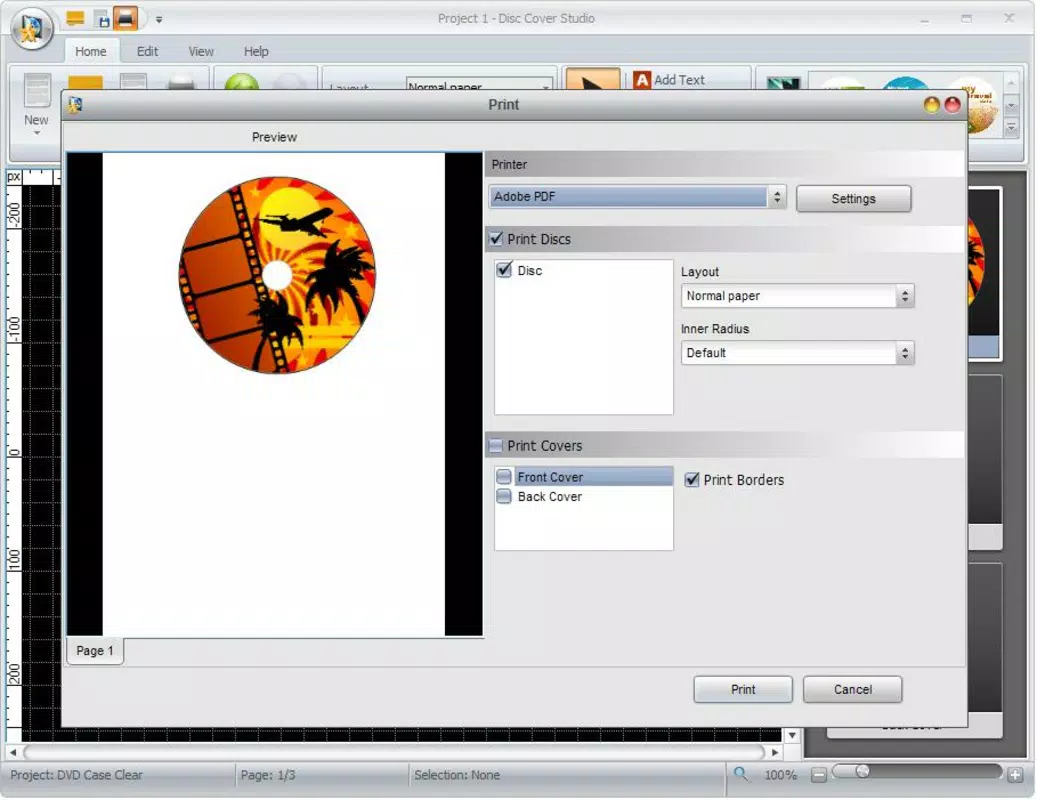
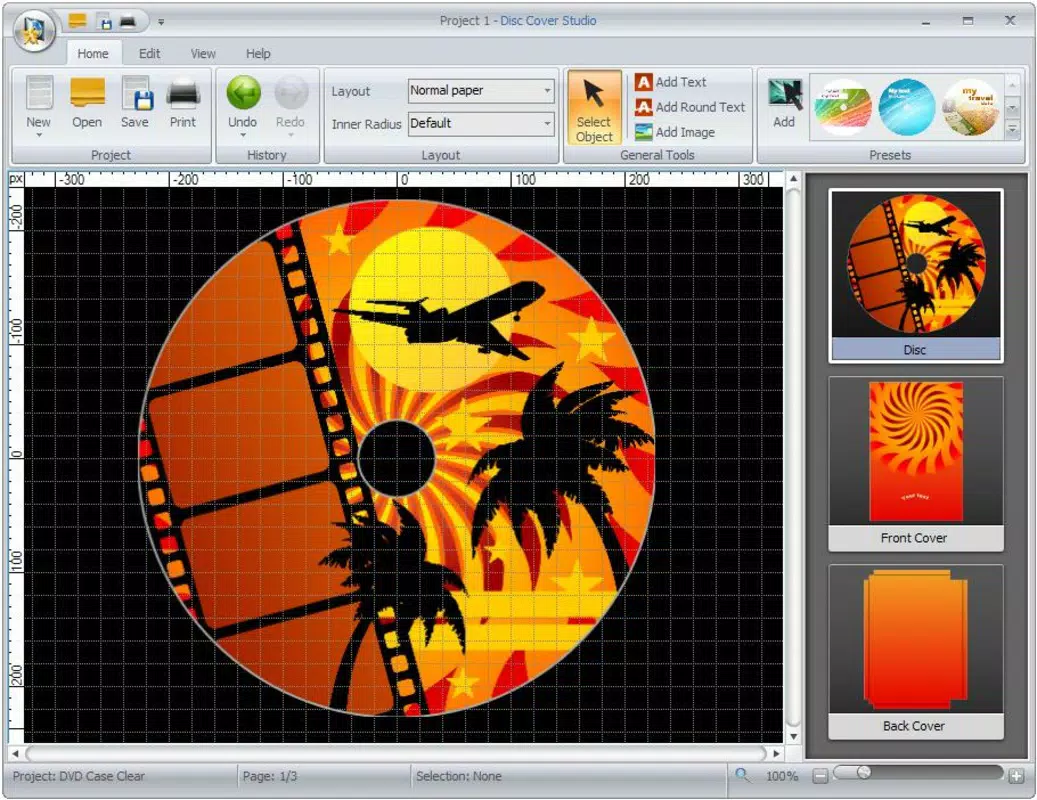
The user interface of Soft4Boost Disc Cover Studio is designed with simplicity and functionality in mind. The layout organizes tools into clearly labeled panels, allowing users to access text editors, color pickers, and layout grids without confusion. Visual elements are presented in a clean, minimal style that reduces clutter and enhances focus on the design canvas.
Navigational flow is straightforward, guiding users through the creation process step by step—from selecting a template to exporting the final design. The app maintains responsiveness across different screen sizes, ensuring consistent usability on both tablets and smartphones. Although the developer did not list formal performance metrics, the app’s interface operates smoothly during standard design tasks, suggesting optimized resource usage.
Stability appears to be a priority, as the app handles multiple design layers and text elements without noticeable lag or crashes during typical use. Users can expect reliable performance when editing fonts, adjusting colors, or applying custom layouts. The overall experience reflects a balance between visual appeal and functional efficiency, making it accessible to users with varying levels of design experience.
Platform Compatibility & Technical Requirements
Soft4Boost Disc Cover Studio is available on the Android platform. The current software version is not specified in the provided data, and the app’s file size is also undisclosed. The developer did not list formal minimum OS requirements or compatibility details for specific device models.
Users should be aware that the app’s functionality may vary depending on the device’s hardware and operating system version. While no specific limitations were mentioned, compatibility with older Android versions or low-memory devices remains uncertain. The absence of detailed technical specifications means users are advised to verify system compatibility before installation.
Pros and Cons
Pros
- Intuitive interface designed for both beginners and experienced users.
- Wide range of pre-designed templates for quick and professional results.
- High level of customization for text, layout, and visual elements.
- Supports multiple disc formats including CDs, DVDs, and VCDs.
- Efficient workflow for organizing and branding media collections.
Cons
- Specific technical requirements and file size were not disclosed.
- Compatibility with older Android versions was not confirmed.
- No information provided about cloud sync or export formats.
- Developer did not share details about update frequency or future development plans.
- Limited visibility into performance on low-end devices.
FAQ
Is Soft4Boost Disc Cover Studio free to download?
The pricing information was not provided. Users should check the app store listing for current pricing and availability.
Can I use this app on iOS devices?
The app is confirmed to be available on Android. Platform availability for iOS was not disclosed by the developer.
What file formats can I export my disc covers in?
The developer did not specify supported export formats. Users are advised to review the app’s export options after installation.
Does the app support offline use?
There is no information provided about internet connectivity requirements. The app may function offline, but this depends on the implementation.
How often are updates released?
Update frequency was not disclosed. Users should monitor the app store for new versions and improvements.
Final Thoughts
Soft4Boost Disc Cover Studio delivers a focused, user-friendly solution for creating personalized disc covers, labels, and inserts. Its blend of pre-designed templates and detailed customization tools makes it a practical choice for both casual users and professionals managing physical media. While technical details such as file size, OS requirements, and update frequency remain unconfirmed, the app’s interface and functionality reflect a well-structured design experience.
For anyone maintaining a music library, educational content, or promotional media, this app offers a reliable way to enhance presentation and organization. The ability to create consistent, high-quality covers across multiple discs adds significant value to physical media projects.
Download Soft4Boost Disc Cover Studio now


